
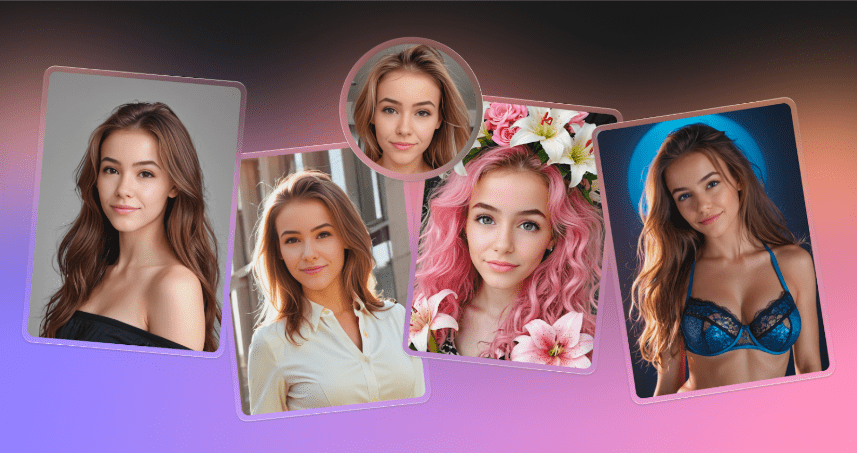
Face swapping technology has graduated from a mobile app novelty to a viable utility in professional design workflows. For years, compositing a face onto a different body required advanced Photoshop skills. You had to match lighting, grade skin tones, and warp perspective manually. Today, AI handles these complex pixel calculations in seconds.
Icons8 Face Swapper fills this professional gap. It isn’t a filter app for social media laughs, nor is it a deepfake video generator. It acts as a static image processor capable of handling high-resolution inputs for designers, marketers, and content managers. The central question isn’t just how well it works. Professionals need to know how to use it responsibly without crossing ethical lines or degrading visual quality.
Understanding The Generative Mechanics
Stop thinking of this tool as “copy and paste.” That isn’t how the technology works. According to technical documentation, the AI generates a new face that exists “in between” the source and the target. It analyzes facial features from the source (the face you want) and maps them onto the geometry and lighting of the target (the body or scene).
You get a synthetic identity. It resembles the source heavily but adapts to the environmental context of the target photo. This distinction matters for commercial work. You are not strictly preserving the exact pixel identity of a person; you are creating a blended asset. This approach yields higher realism because the AI hallucinates the necessary shadows and skin texture to make the swap believable. It avoids the jagged cut-out lines common in manual editing.
Scenario 1: Anonymizing Corporate Assets
Expired model releases create a massive friction point in corporate marketing. Companies often hold libraries of high-quality photos from past shoots. But if an employee in the foreground leaves on bad terms, or a paid model’s contract expires, those photos become liabilities.
In the past, these assets-costing thousands to produce-went into the trash. Face Swapper allows content managers to salvage the composition.
Select the high-value corporate photo as the target. For the source, choose an AI-generated face (available within the tool’s library) rather than a real person. Swapping a synthetic face onto the real employee’s body effectively anonymizes the identity. The posture, branded uniform, and office background remain authentic. Only the recognizable identity disappears. The asset stays in the marketing rotation without legal risk or awkwardness.
Scenario 2: Localized Marketing Variations
Global marketing campaigns often fail on representation. A photoshoot in Berlin might feature models that don’t resonate with audiences in Tokyo or São Paulo. Reshooting the campaign for every region destroys budgets.
Designers use face swapping to localize imagery efficiently. Start with the master campaign image. Swap in faces that better represent the demographic of a specific region. Since the tool supports output resolutions up to 1024px, the resulting images remain sharp enough for web use, newsletters, and digital ads.
Documentation notes the tool handles “Multiswap,” detecting and replacing multiple faces in a group photo. This helps adjust the diversity of team shots to reflect a global structure without flying everyone to a single location.
A Typical Walkthrough: The Remote Headshot Fix
Here is a routine task for a brand manager at a distributed startup. The company website needs a cohesive “Team” page. Most employees have professional headshots. One new hire, however, sends a grainy, poorly lit selfie taken in a car.
Open Face Swapper to fix this without asking for a reshoot.
- Preparation: Browse a stock photo site (like the integrated Moose library) to find a “body double.” Look for professional attire, neutral lighting, and a pose that matches the rest of the team.
- Upload: Drag this professional photo into the target area.
- Source Selection: Upload the new hire’s selfie as the source.
- Processing: The AI maps the new hire’s facial features onto the professional body.
- Refinement: The first result usually looks okay, but skin texture differences often create a slight uncanny valley effect. The stock body is high-res; the selfie is low-res.
- The “Self-Swap” Trick: Take the result image and upload it as both the source and the target. Run the swap again. This acts as a “skin beautifier,” smoothing out artifacts and blending tones more aggressively.
- Final Output: You get a 1024×1024 PNG that looks like the new hire went to a studio.
Comparing The Landscape
Finding a face swap tool that handles high resolution narrows the options significantly.
Vs. Photoshop:
Manual compositing offers total control. You can dodge, burn, and warp pixels exactly how you want. But a realistic face swap in Photoshop takes a skilled retoucher anywhere from 30 minutes to two hours. Face Swapper does this in moments. For high-stakes print advertising (like billboards), stick to Photoshop. For everything else, AI efficiency wins.
Vs. Mobile Apps (Reface, FaceApp):
Mobile apps optimize for virality and video. They compress output heavily, resulting in small files that look terrible on desktop monitors. They also tend to exaggerate features for comedic effect. Icons8 focuses on preserving “in-between” realism and providing download sizes suitable for commercial layouts, not just Instagram Stories.
Limitations and When To Avoid
Technology has hard limits. Practitioners must respect them to avoid amateurish results.
The “3/4 View” Problem
Marketing materials often claim support for various angles. In reality, the AI struggles with extreme head positions. A full profile view (90 degrees) or a heavy 3/4 turn often breaks the illusion. The AI attempts to map a frontal face onto a side profile. This results in smeared ears or misaligned jawlines.
Obstructions are Fatal
Algorithms rely on detecting facial landmarks: eyes, nose, mouth edges. If the target photo has a hand covering the chin, hair falling over an eye, or heavy glasses, the swap will fail. The AI often pastes the new face over the obstruction, creating a ghostly effect where a hand disappears into a cheek.
Identity Dilution
Because the tool generates a blend, it fails where strict biometric identification is required. Do not use this to “fix” a passport photo. The output is a sibling of the original person, not a clone.
Practical Tips for Best Results
Match the Head Shapes
Swapping a round face onto a long, narrow skull forces the AI to stretch the texture. Distortion follows. Match the general head shape of the source and target for invisible edits.
Leverage the Upscaler
Output is capped at the source resolution or 1024px. Run the final result through the Smart Upscaler for any web banner or hero image. This ensures crispness on Retina displays.
Watch the File Types
Acceptable formats include JPG, PNG, and WEBP. Convert raw camera files (CR2, NEF) first. Also, ensure your input file stays under 5MB. Compress it slightly if needed; the AI processing does not benefit from data overhead beyond that limit.
Privacy Management
Rely on the history tab for sensitive corporate work. You can view past swaps and re-download them without incurring GPU costs again. Remember that images are permanently deleted after a set period (usually 30 to 60 days). Do not use the tool as long-term storage. Download immediately.

Jessica Alexander
Latest posts by Jessica Alexander (see all)
- Yacht Charter or Cruise? How to Choose Your Best Luxury Escape at Sea - December 15, 2025
- Transform Your Routine with Nak Shampoo for Your Hair - December 2, 2025