

Honestly, still images are no longer functional. People don’t notice things when they’re scrolling through quickly. They only stop when they come across something that truly catches their eye — such as a brief video that tells a story in a few seconds. It’s not just you who’s been trying to keep up.
What’s the good news? Video editing doesn’t require a studio, a high-end camera, or even editing software anymore. Anyone can create videos that stop viewers from scrolling using tools like Pippit’s AI-powered image to video maker.
For small business owners, marketers, product sellers, and content creators who want to add more life, emotion, and vitality to their work, this is a big deal. Plus, it integrates seamlessly with your existing tools, like a video editor or planner, to help your content flow more smoothly.
Let’s talk about how it works and how you can get started right away.
Why images by themselves no longer work
Still photos aren’t useless, mind you. But in a digital world where attention spans are incredibly short, images need help to really connect.
Short videos offer movement, music, sound, and timing. They help your audience remember your product or message by telling a quick story. For example:
-
A photograph of a model becomes a runway story.
-
A food photo becomes a recipe in action.
-
A product image becomes a how-to guide.
You can breathe life into your existing content with tools that convert images into videos.
How artificial intelligence transforms images into scroll-stopping content
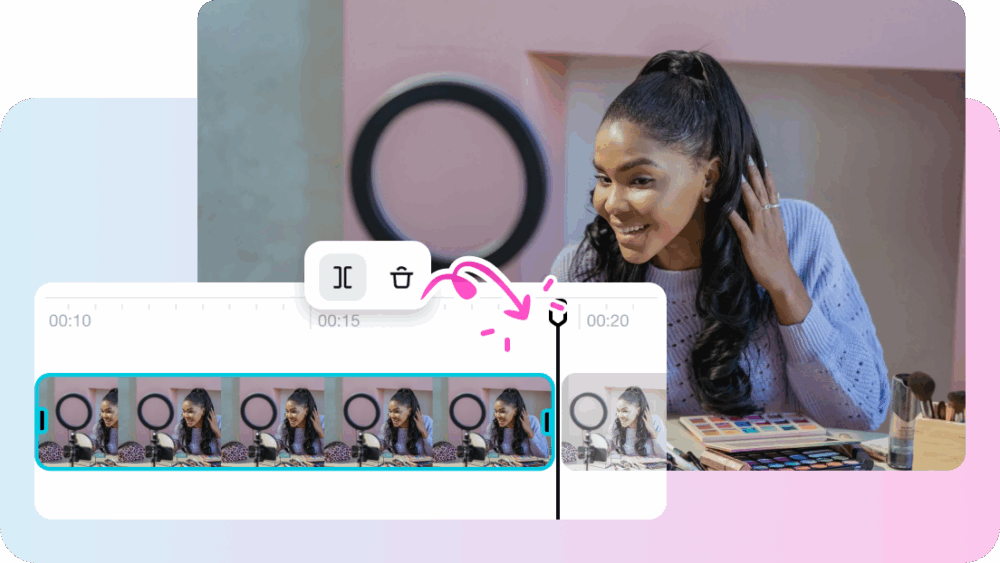
AI has removed the need to manually animate or edit every image. Tools like Pippit use smart algorithms to analyze your photos, identify key parts, and build a video around them. You can then customize that video with a video cutter or your branding, voiceovers, and transitions.
In short:
-
You don’t need to be tech-savvy.
-
You don’t need to install editing software.
-
Just upload your photo and go.
You can transform a “product photo” into an “Instagram reel” in under five minutes.
Meet Pippit: the AI tool that turns images into videos
Pippit is like a creative partner that helps you build stories aligned with your brand. You don’t need to hire an entire media team to create polished videos. This works whether you’re a solo creator or part of a growing team.
With just a few photos, you can create product demos, testimonials, portfolio videos, social media teasers, and more.
How to use Pippit to turn your photos into videos
Pippit makes turning images into videos incredibly simple. Here’s how:
Step 1: Upload your pictures
Sign up or log in to Pippit and go to the “Video generator” tab. Click “Add media” to upload images from your PC or import them from cloud storage. You can even paste a product URL — Pippit’s AI will automatically detect and pull in the relevant images. Then, click “Generate.”

Step 2: Customize and generate
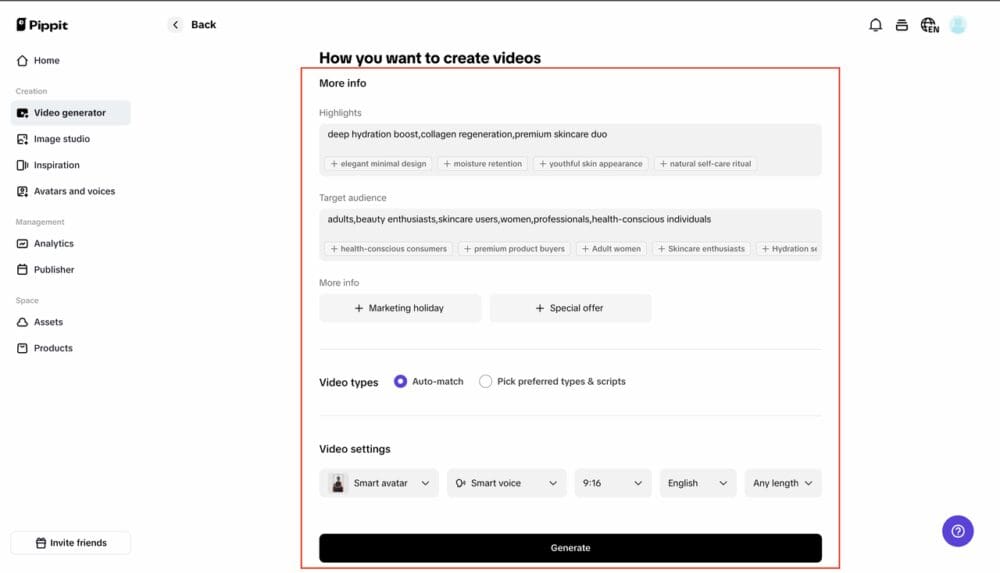
Once your images are uploaded, Pippit will create a preview video highlighting your product and its features. You can edit the text, images, and descriptions that appear. Choose your video type, AI avatar, voice, language, and video duration. When you’re ready, click “Generate.”
Step 3: Export your video
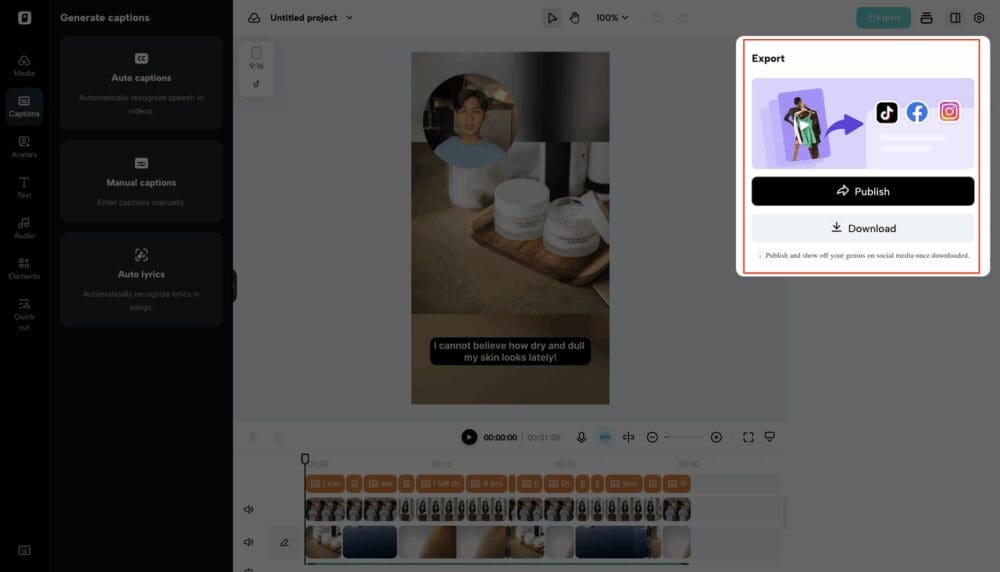
Preview the video to make sure everything looks and sounds right. Use the “Quick Edit” tool to adjust voiceover, script, or captions. Want more control? Click “Edit more” for deeper edits. Once you’re happy, click “Export” to download a high-quality version, ready for YouTube, Instagram, or anywhere your audience is.
It’s fast, powerful, and simple to use.
Practical ways to use image-to-video tools right now
This isn’t just about making things look good, but it’s about impact. Here’s where turning images into videos truly shines:
-
E-commerce stores: Turn product images into short videos showing how they work or how to unbox them.
-
Agencies: Use branded photoshoots to create video assets for client deliverables.
-
Social media marketers: Build high-performing reels and stories – faster.
-
Coaches and consultants: Showcase testimonials, services, or mini case studies.
-
Event planners: Create highlight reels or promos using event images.
If you have images, you can create videos – no matter your industry.
Pippit fits into your creative flow
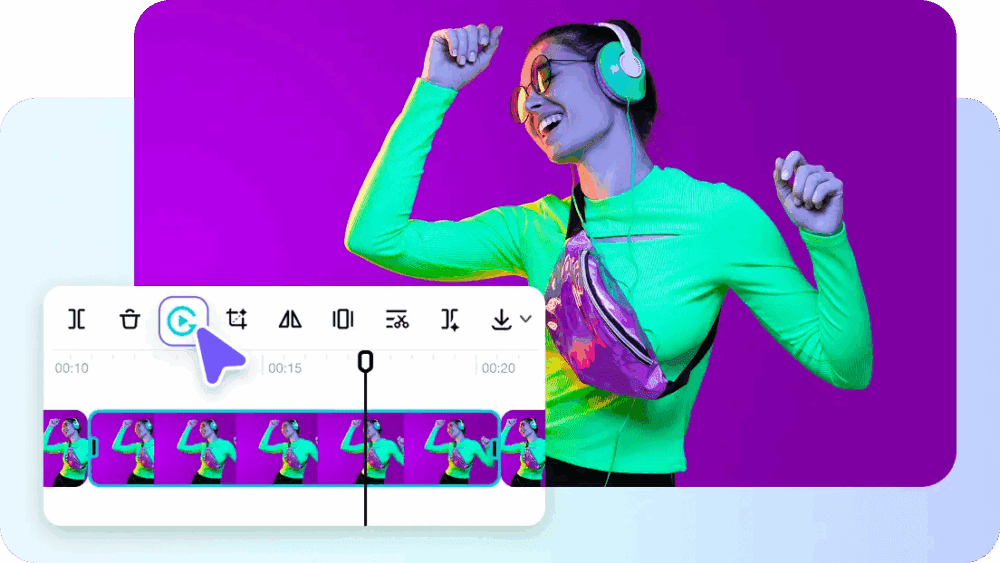
Already using a video editor or social post scheduler? That’s perfect! Pippit works right alongside those tools. You can create raw videos with Pippit, use a video trimmer to trim them, or even reverse clips with a video reverser for added creative flair.
The idea is to work smarter — using what you already have, even if it’s just photos.
Ready to turn stills into stories?
In a world where video rules, staying relevant isn’t optional anymore. Luckily, tools like Pippit’s image-to-video converter make it fast, affordable, and completely doable.
You don’t need a creative team or a big budget. Just bring your ideas and a few strong visuals – Pippit does the heavy lifting.
Whether your goal is brand awareness, engagement, or conversions, video storytelling is the way to get there.
Start today. A photo alone can’t tell your story. It needs sound, motion and a little personality.

Jessica Alexander
I've always loved to write, but I'd never want to be famous. So, I write as Jessica A. over here at ADDICTED. You can think of my like Carmen Sandiego, you trust me, but where in the world am I?
Latest posts by Jessica Alexander (see all)
- Smart Money Habits That Can Help During Financial Emergencies - June 4, 2026
- Yacht Charter or Cruise? How to Choose Your Best Luxury Escape at Sea - December 15, 2025